New~Wave
Simply Brilliant
New~Wave
Hard Disk only
One time buyout price.
$750
(New~Wave software | 30 minute training session | Updates)
__________________
New~Wave Cirrus Streaming
Hard Disk only
Sign up with Cirrus Streaming
and get the New~Wave software FREE
(New~Wave software | Email Support | Updates)
The New~Wave automation is powerful software for broadcast radio and especially internet radio applications. It is the perfect software for any radio or internet station that wants to play music or create live content to play over the air or internet. It is the ultimate hard disk solution.

Compatible
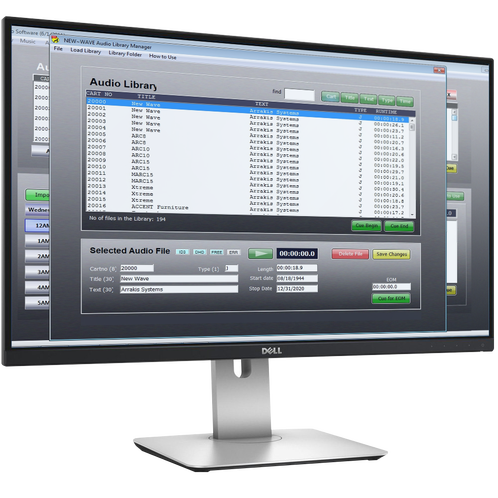
Intuitive.
When designing New~Wave, our primary focus was to make the software quick to learn and easy to use. Made for both novices and professionals alike, it has the simplicity required to get on-air quickly yet offers sophisticated features for advanced users.
Highly fault-tolerant, the New~Wave radio automation software will not allow dead air in automation.
This gives you more time and allows you to focus more on the content of your show and generating more revenue.
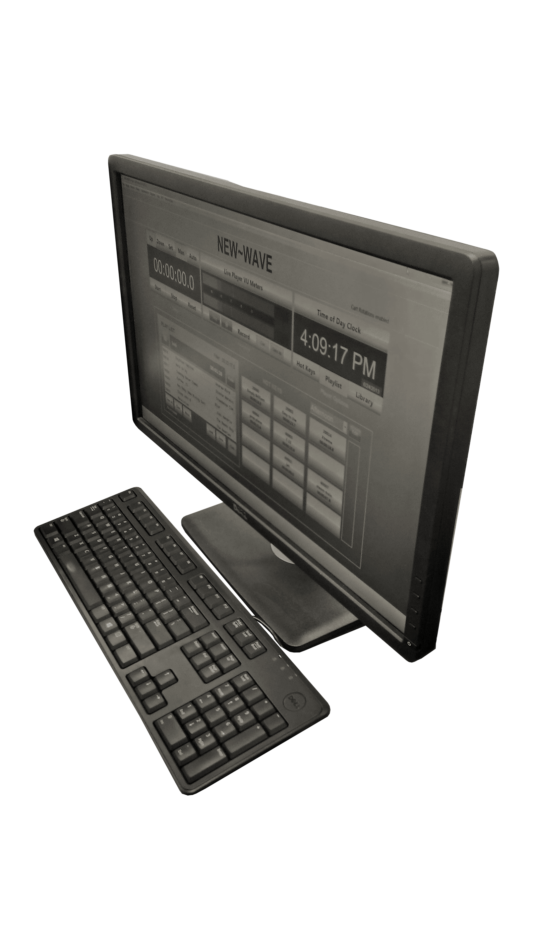
 Live Assist
For attracting an audience and generating sponsorships, content is king. We understand this, which is why New~Wave is built to make your life easier and your radio or internet shows sound better.
The built-in Hot Keys player gives you access to custom pages for quick access to any audio file. Whether you have a sound effect to play or a comment on the big game from the coach, the Hot Key page gives you quick access to these files. This is critical for any live show, and New~Wave lets you create as many custom Hot Key pages as you need.
From the Live Assist screen, you have access to creating custom playlists. You also have the ability to record your live shows for later playback.
Hard Disk Automation.
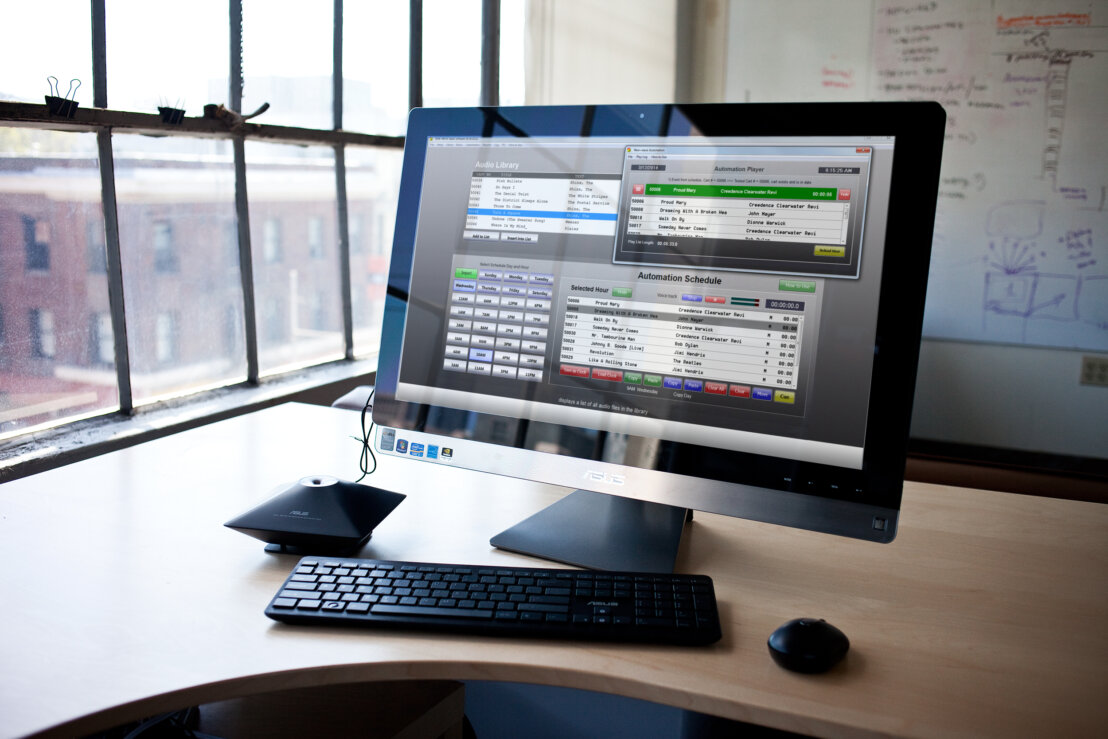
The key feature that sets New~Wave apart from other software is its automation schedule. With the automation, you can create custom schedules that will play while unattended. You can create music schedules using its music category system, along with the ability to voice track for the overnight hours, so you will always sound live and bring in more listeners.
New~Wave Tools
Included with NewWave software is a copy of NewWave Tools. This software is where you will perform most background tasks, such as creating schedules, generating reports, voice tracking, and managing your audio library.
Voice Track New~Wave allows you to create voice tracks for your unattended automated hours. This allows you to sound live, even when no one is in your studio. These voice tracks are quick and easy to create, with just a few clicks of a couple of buttons.
Reports New~Wave allows you to generate reports to show what spots or music have played. You can reconcile with your third-party scheduler or submit your SoundExchange or BMI report. The Reports screen can also generate reports that allow you to troubleshoot scheduling problems or system errors. This ensures that your station will run flawlessly and profitably.
Library Manager The Library Manager in New~Wave is quick and effective to use. Edit any and all information for your audio files, including Title, Artist, In Time to Voice, and EOM times.
3rd Party Software
New~Wave radio automation works with all major third-party traffic and music scheduling software. We also work with all third-party audio production software, so you can continue to use whatever software you are accustomed to.

Internet Radio Ready.
New~Wave radio automation comes with a built-in encoder. Use this encoder to send your audio, along with title and artist information, to your streaming service of choice.
Broadcast Console Mixers
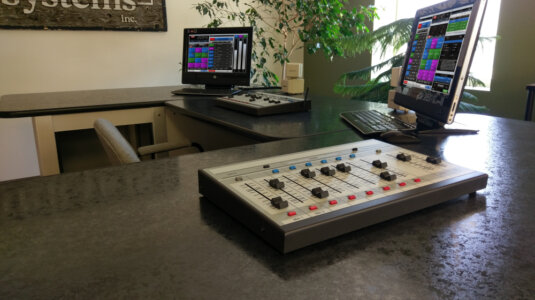
The NewWave automation system works seamlessly with our consoles. There are many bundle options that will save you hundreds and give you a complete package for getting started. Both the ARC-8 and ARC-10 consoles complement NewWave very well for creating powerful live content.
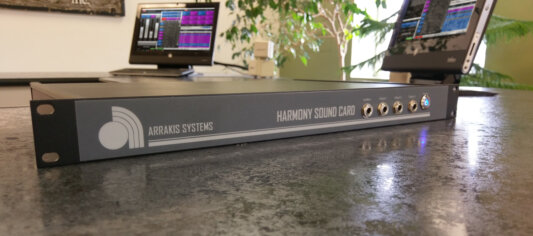
Harmony Sound Card
The most common question for new New~Wave customers is, 'What sound card should I use?' You can use the onboard sound card in the PC, but it will give you poor audio quality. As a result, we created the Harmony Sound Card, which will give your station a beautiful sound without breaking the budget.
Remote Access
Want to connect to your automation from your living room at home or at a remote ball game? With the remote access features of New~Wave, you can. Do you have a DJ in Los Angeles who wants to do voice tracks, but your studio is in New York? Remote access bridges these gaps and allows you to work where you want, when you want.
This optional feature within New~Wave uses the latest VPN technology to give you quick, comprehensive, and secure connections to your studios.

Email support
With the NewWave radio automation software, you are supported. There are hours of video tutorials available 24/7, along with manuals and training material.
Free Cirrus Streaming Offer - Email Support Available: If you have received a free copy of New~Wave by signing up with Cirrus Streaming, then email support is included as long as you are a current customer with Cirrus Streaming. The 30-minute setup/training session is offered at an additional $50 per hour.
Phone support
Included with the purchase of the New~Wave you are entitled to a FREE 30 minute computer configuration session with one of our staff. During this setup, we will use remote access software to log on and configure your computer to help get you on the air quickly and effectively.
Phone training is not included with the Free Cirrus Streaming offer. Optional training sessions may be purchased at a rate of $50 per hour.
Download New~Wave Demo Software
Note: the New~Wave automation software has all the major features, but is limited to what will be played from the automation schedule.